


How to deposit cryptocurrency on the 1xBit website
1. Log into your 1xBit account and click [Deposit].

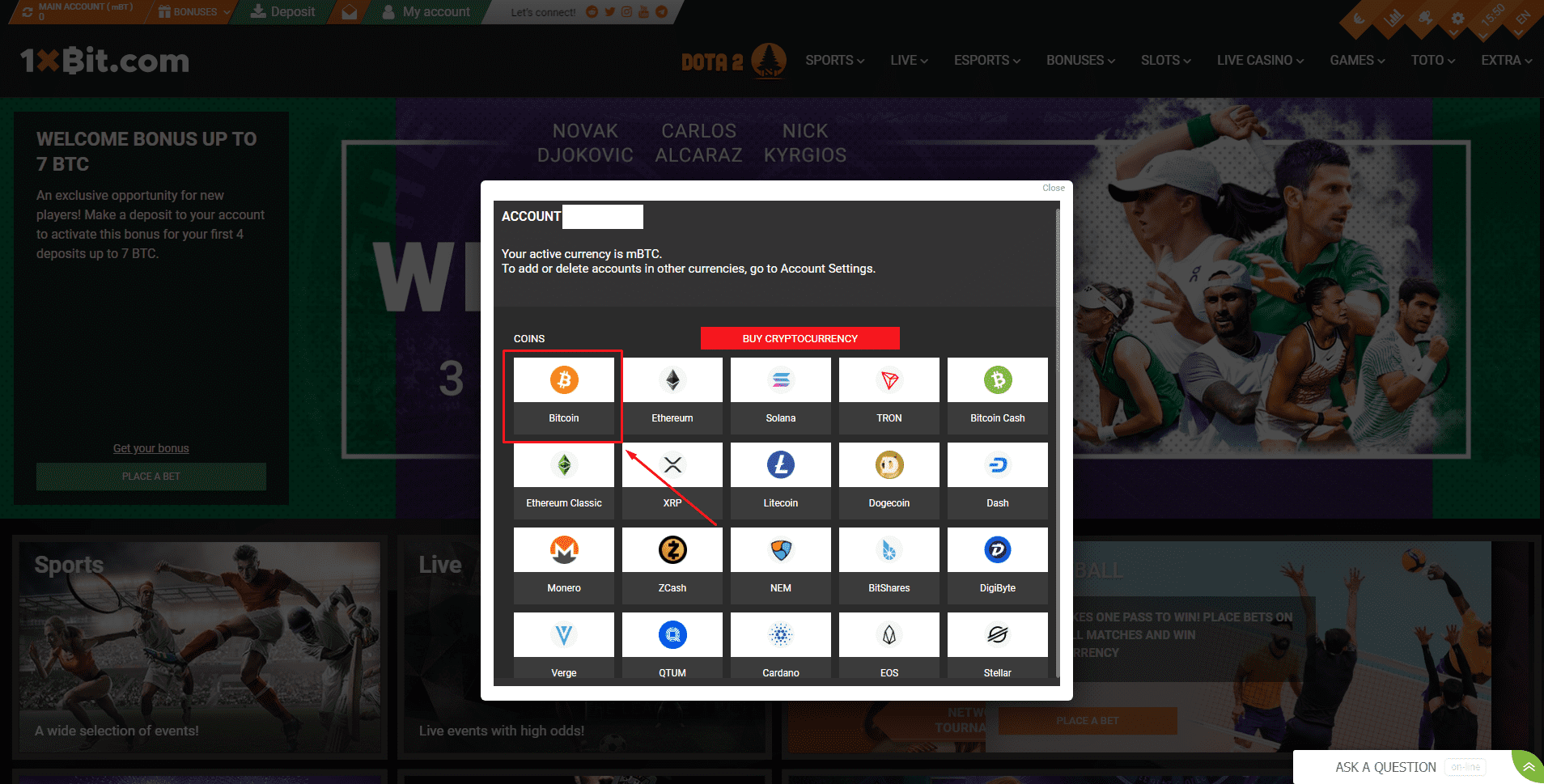
2. Select the cryptocurrency you want to deposit, such as Bitcoin.
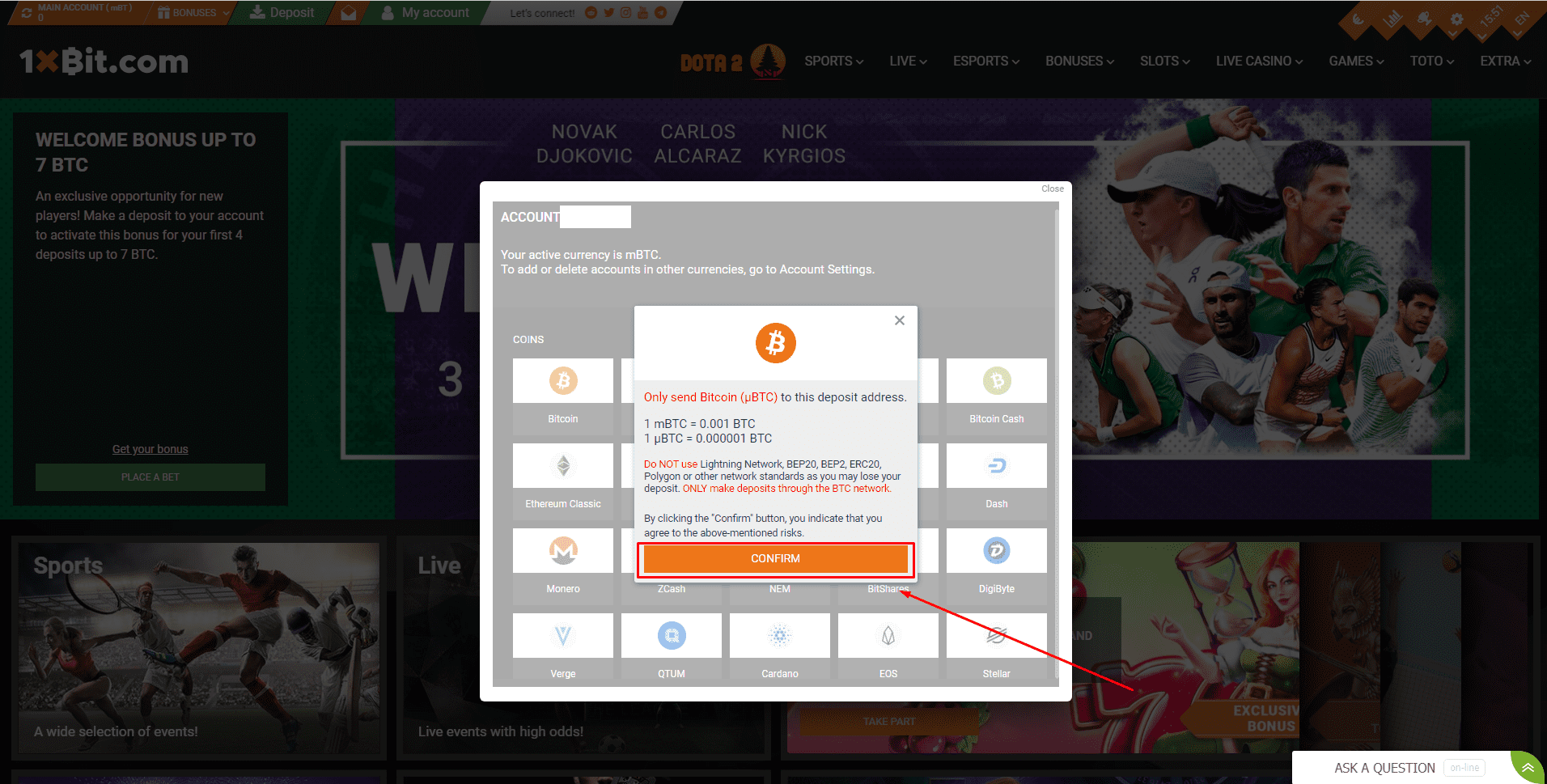
3. In this example, we will withdraw Bitcoin (BTC) from another platform or cryptowallet and make a deposit into a 1xBit account. Please read the message carefully and make sure that the network is the same as the network of the platform you are withdrawing funds from. If you select the wrong network, you will lose your funds. Once you’ve done that, please click [Confirm].
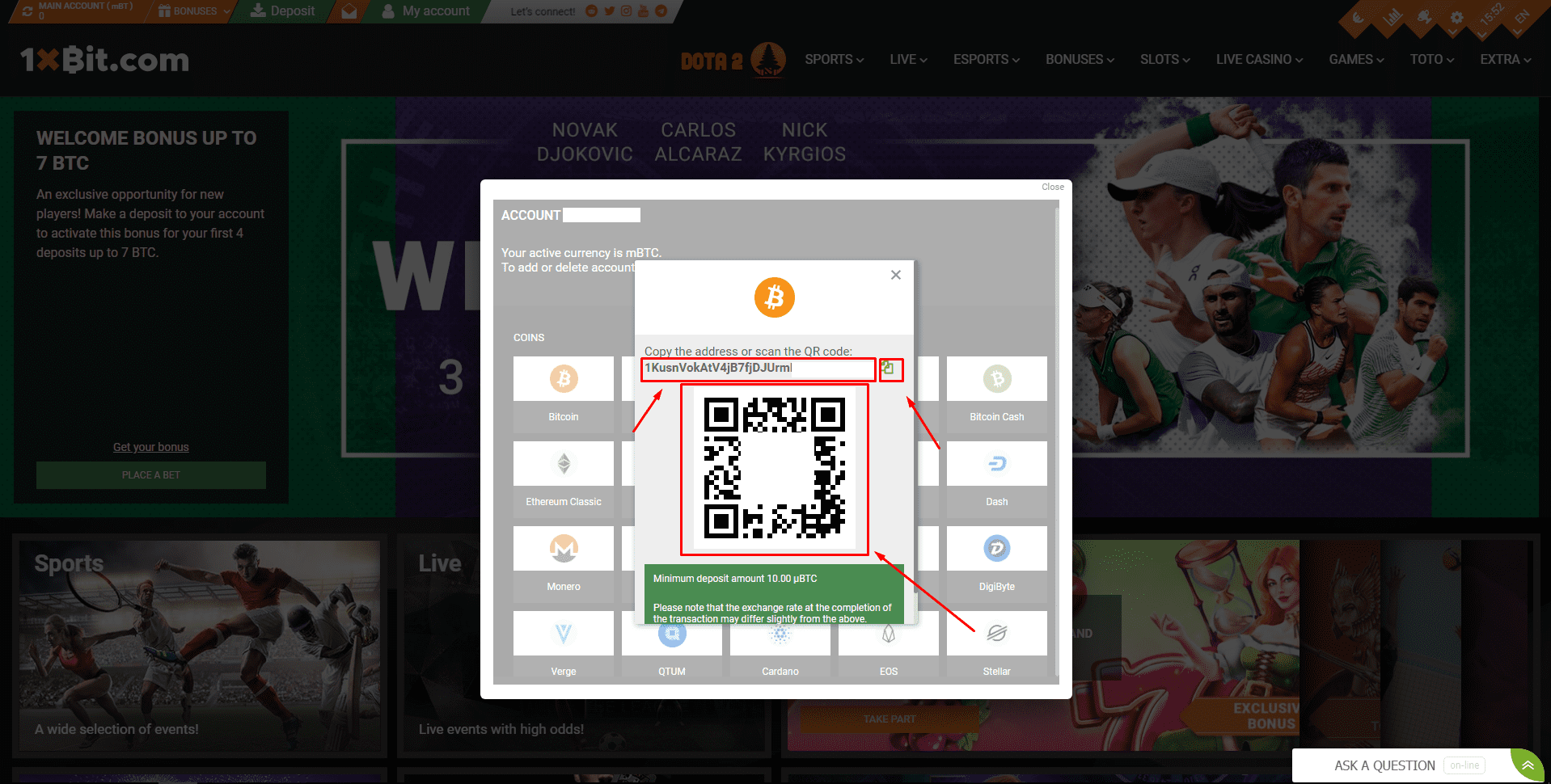
4. Click to copy your 1xBit Wallet’s deposit address (either manually or by clicking on the copy button) and paste it to the address field on the platform/cryptowallet you intend to withdraw crypto from. Alternatively, you can scan the QR-code to paste your address in that field automatically.
Please make sure that your deposit amount exceeds the minimum deposit amount.
5. After confirming the withdrawal request, it takes time for the transaction to be confirmed. The confirmation time varies depending on the blockchain and its current network traffic.
Please wait patiently for the transfer to be processed. The funds will be credited to your 1xBit account shortly after.
2.1. The deposit process is a little different for some cryptocurrencies, such as Eos, which have additional info on how to send funds properly.
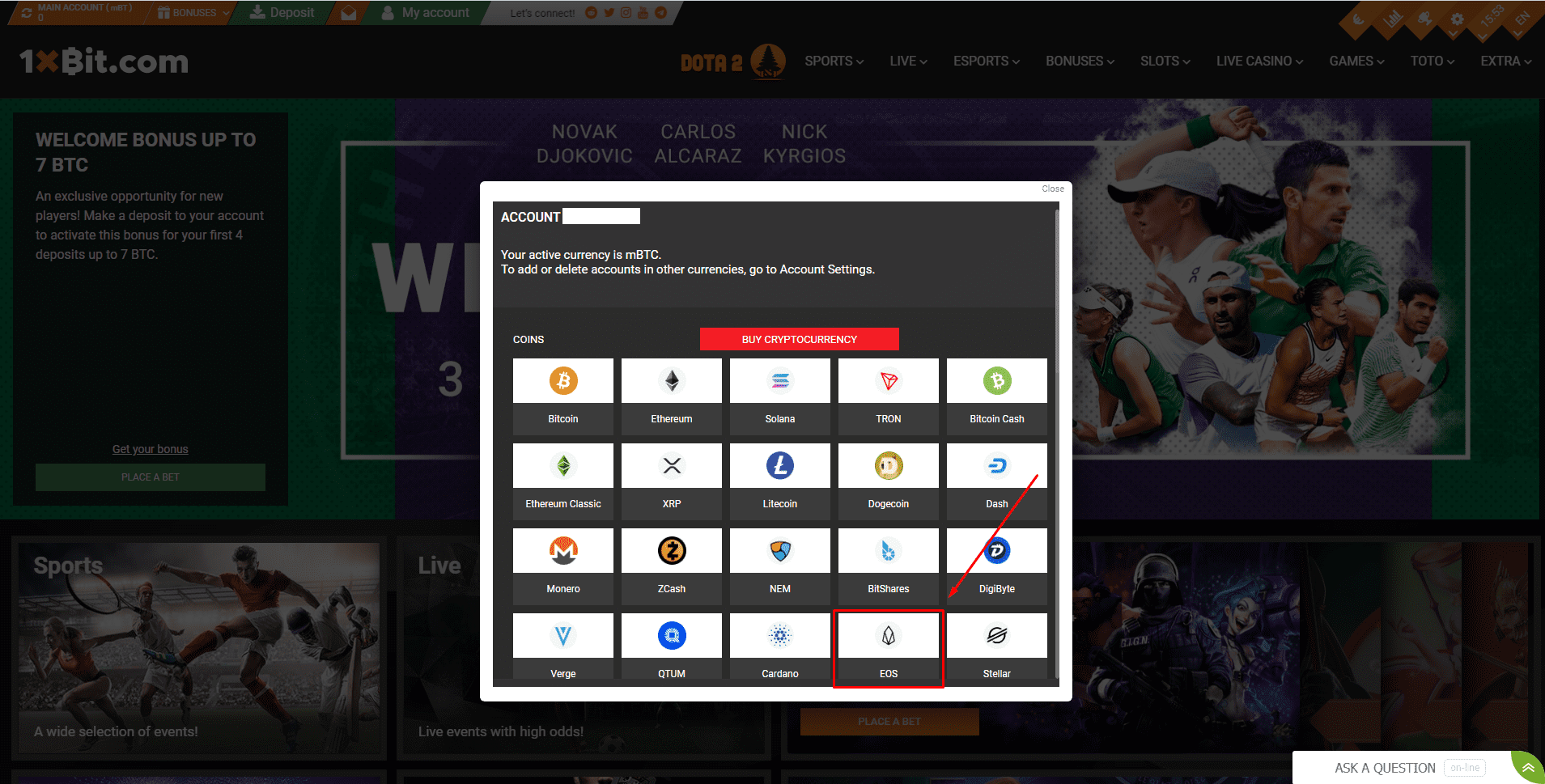
3.1. In this example, we are going to withdraw Eos (EOS) from another platform or cryptowallet and make a deposit into a 1xBit account. As for each cryptocurrencies, please read the message carefully and make sure that the network is the same as the network of the platform you are withdrawing funds from. If you select the wrong network, you will lose your funds. After that click [Confirm].
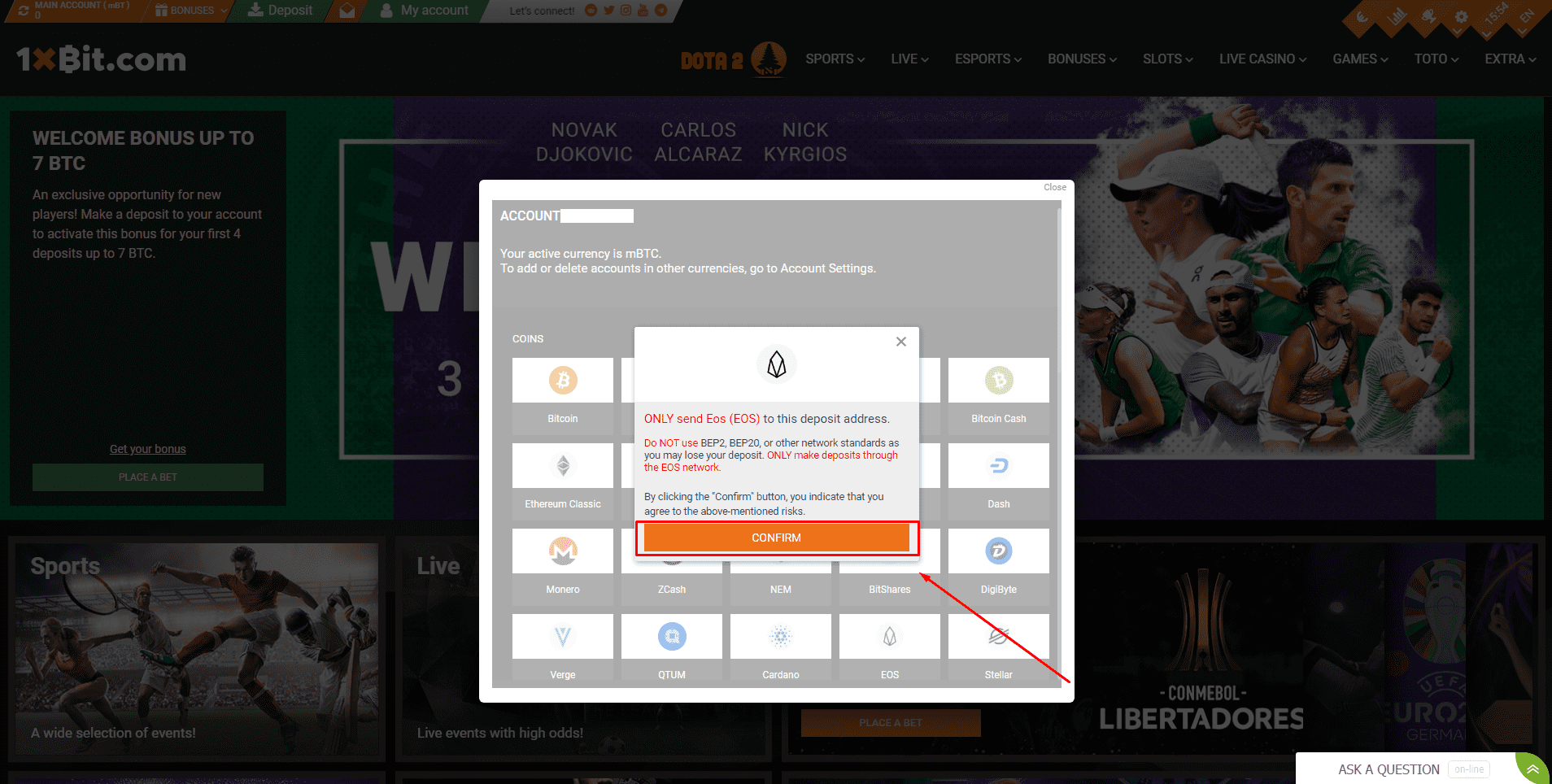
4.1. Click to copy your 1xBit Wallet’s deposit address (either manually or by clicking on the copy button) and paste it to the address field on the platform/cryptowallet you intend to withdraw crypto from. Alternatively, you can scan the QR-code to paste your address in that field automatically.
Before making the transaction, don’t forget to copy the Message (or Memo/Tag for other cryptos) to the relevant field for the platform/cryptowallet you are withdrawing funds from.
Please make sure that your deposit amount exceeds the minimum deposit amount.
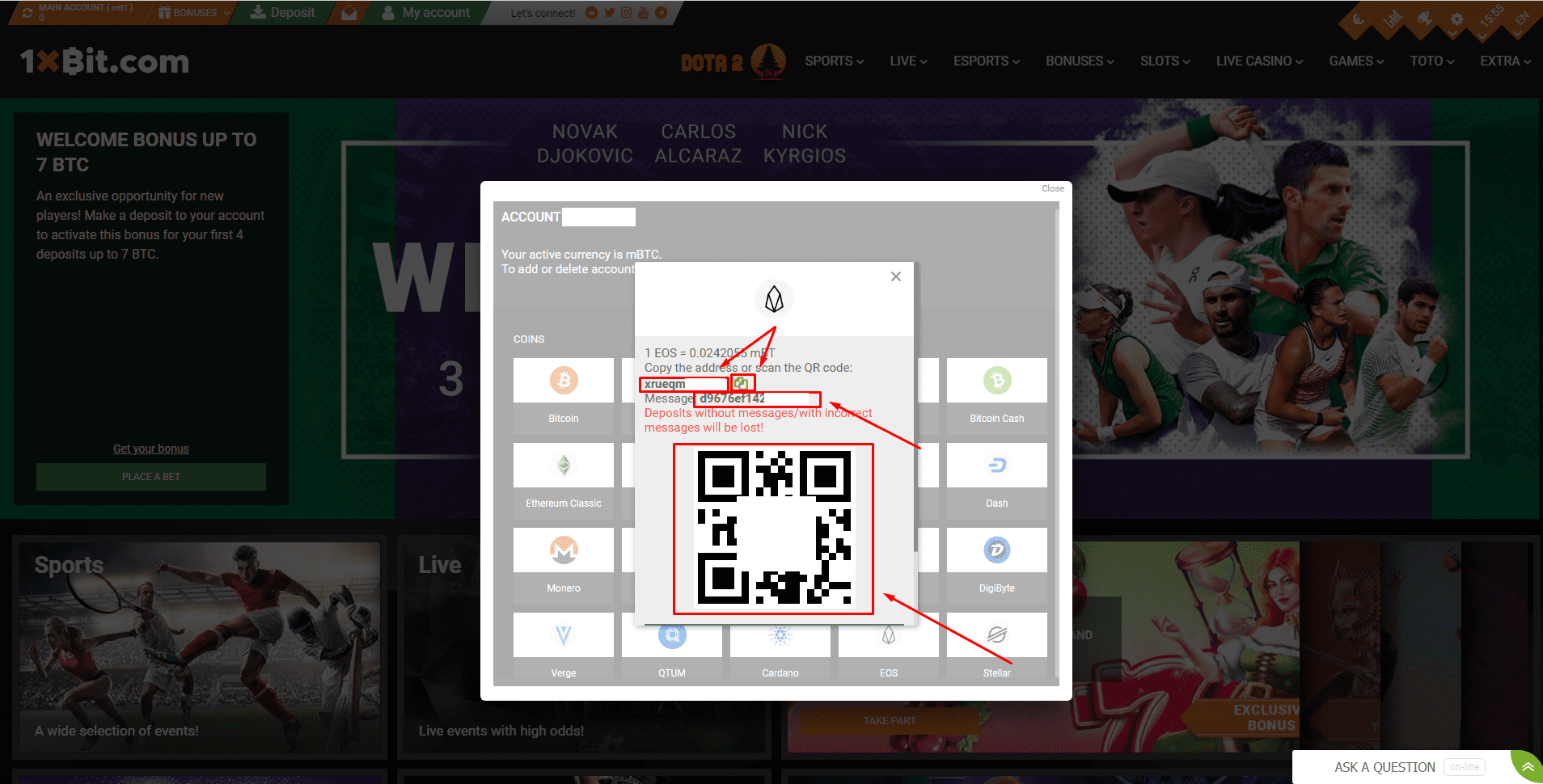
5.1. After confirming the withdrawal request, it takes time for the transaction to be confirmed. The confirmation time varies depending on the blockchain and its current network traffic.
Please wait patiently for the transaction to be processed. The funds will be credited to your 1xBit account shortly after.