


2021-09-22 18:46:00
Guide: How to change the currency of my account?
1. Log into your 1xBit account and click [My account]. Choose [Account settings].

2. Find the block [Your wallet].
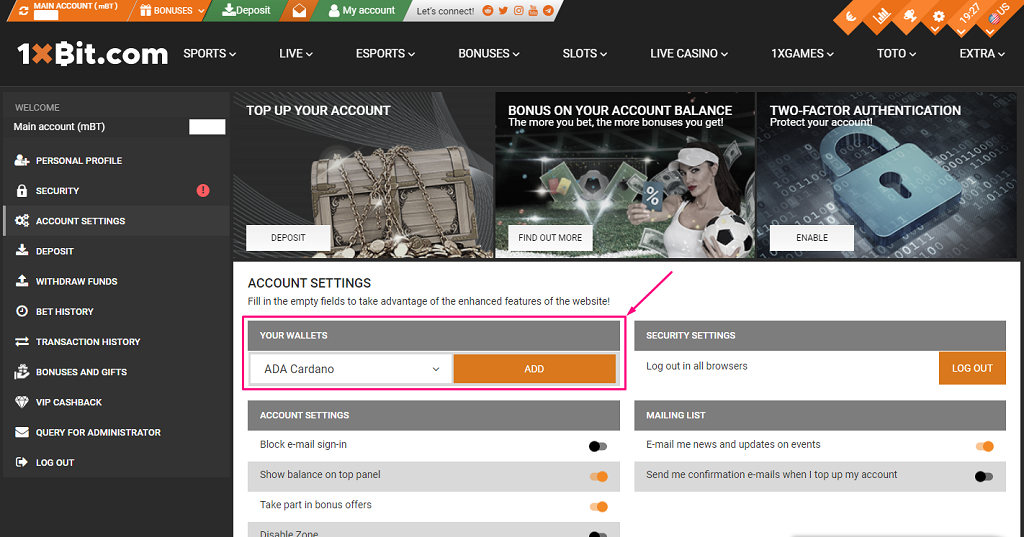
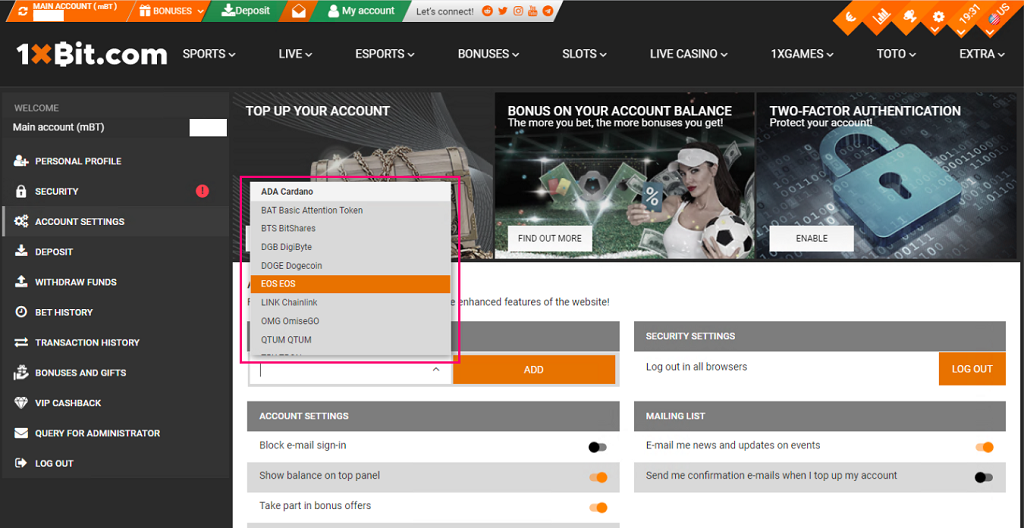
3. Choose another cryptocurrency (for example, EOS).
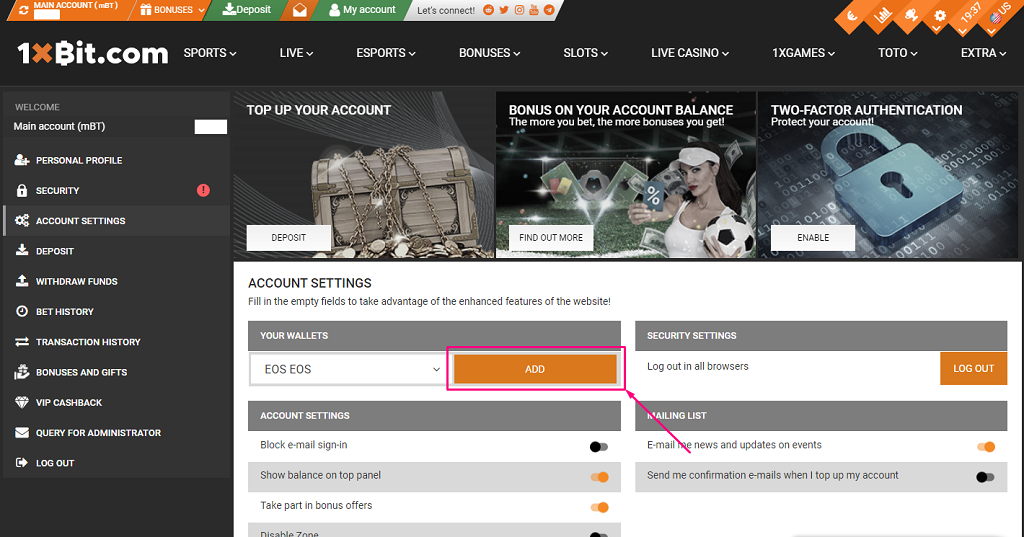
4. Click [Add].
5. Accept your new account cryptocurrency.
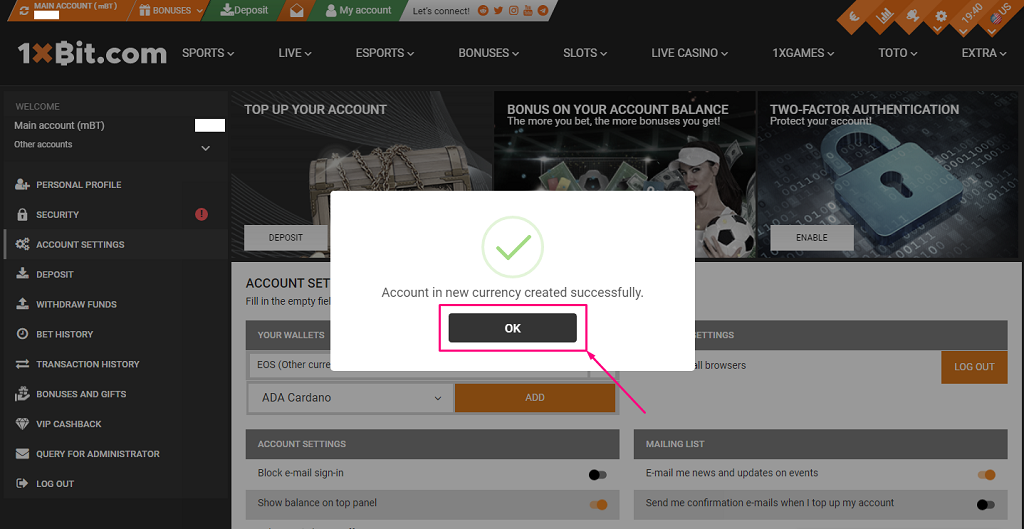
6. You can switch the cryptocurrency of your account in the header. Also, you can find the list of all added cryptocurrencies in the [Your wallet] block.
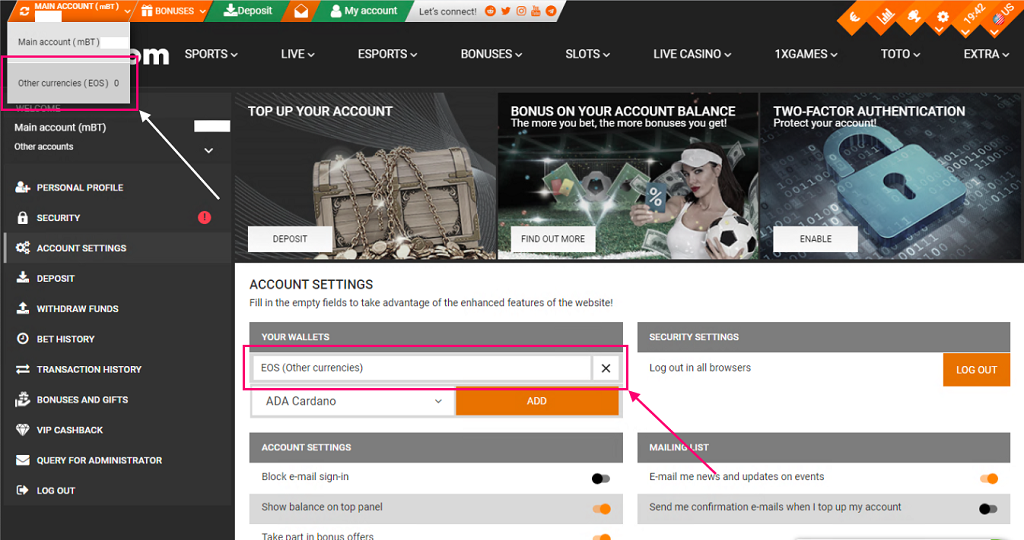
7. The new cryptocurrency is chosen now.
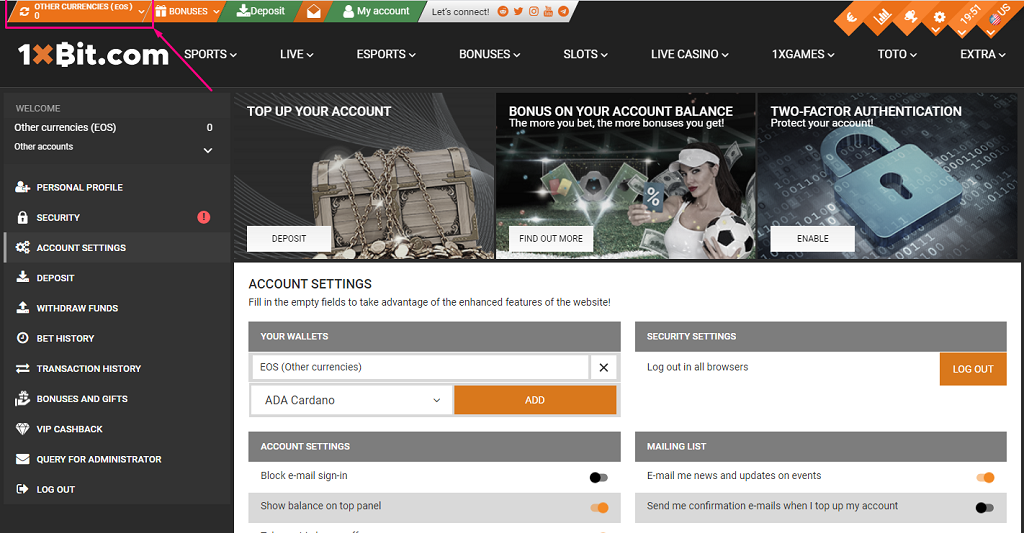
Deposit the new sub-account here.
You can open additional accounts in any of the currencies available on the site on the page. Also, you may delete cryptocurrencies from the wallet’s list.