


Guide: How to enable 2FA?
1. Log into your 1xBit account. Click [My account] and choose [Account settings].

2. Choose [Security] in the menu.

3. Click the slider.

4. Download an authentication app and scan the QR code using it. Check suggested apps in App Store or Google Play next to the QR code.

Note: The codes are generated from a secret key that is shared between the service you are using (like 1xBit) and your device, as well as the current time.
An authenticator app is usually installed on a smartphone and generates a 6-8 digit code every 30 seconds. The code can be used for signing in, depositing or withdrawing funds from your account.
5. After that, you add 1xBit to an authentication app list of connected services. Enter the generated code from your 2FA app to link it to 1xBit.
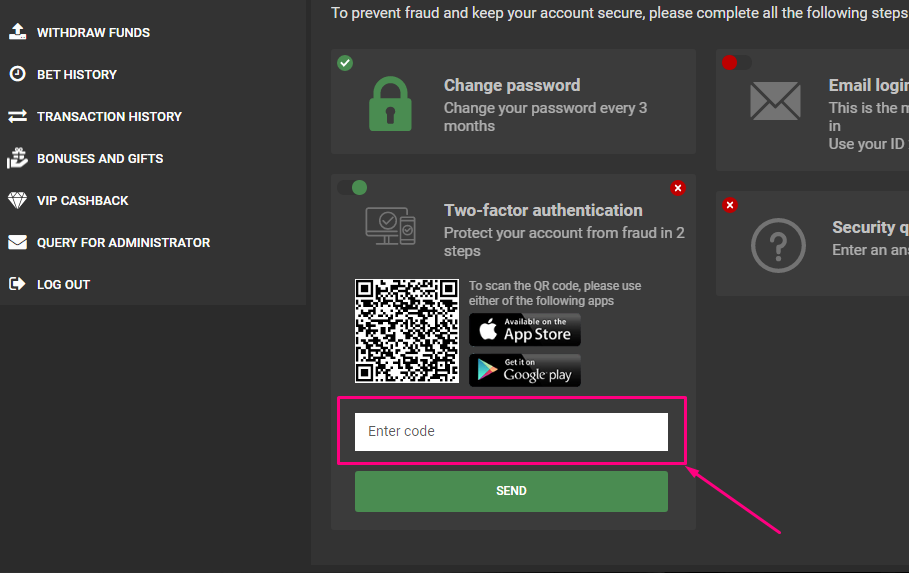
6. Click [Send].

7. Slider turns to green if you connect 2FA.

8. Reload the website page and you can see enabled 2FA.
