


How to withdraw cryptocurrency on the 1xBit website
1. Log into your 1xBit account and click [My account]

2. Choose [Personal profile]

3. Click [Withdraw funds]
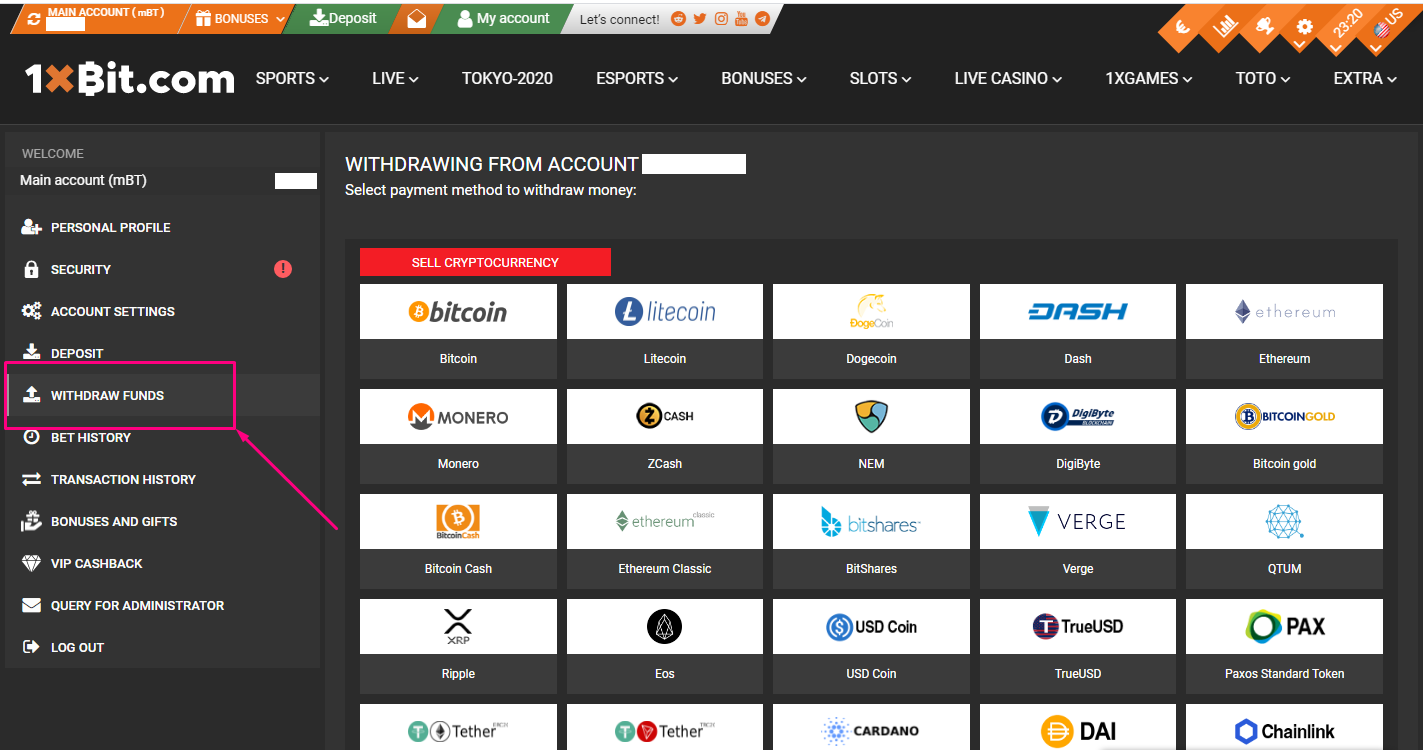
4. Select the cryptocurrency you want to withdraw, such as Bitcoin.

5. Enter the withdrawal amount and either enter the recipient address or select it from your address book. Please make sure that you choose the native network of the cryptocurrency on the platform you are withdrawing funds to. If you select the wrong network, you will lose your funds. 1xBit uses native cryptocurrencies networks for transactions.
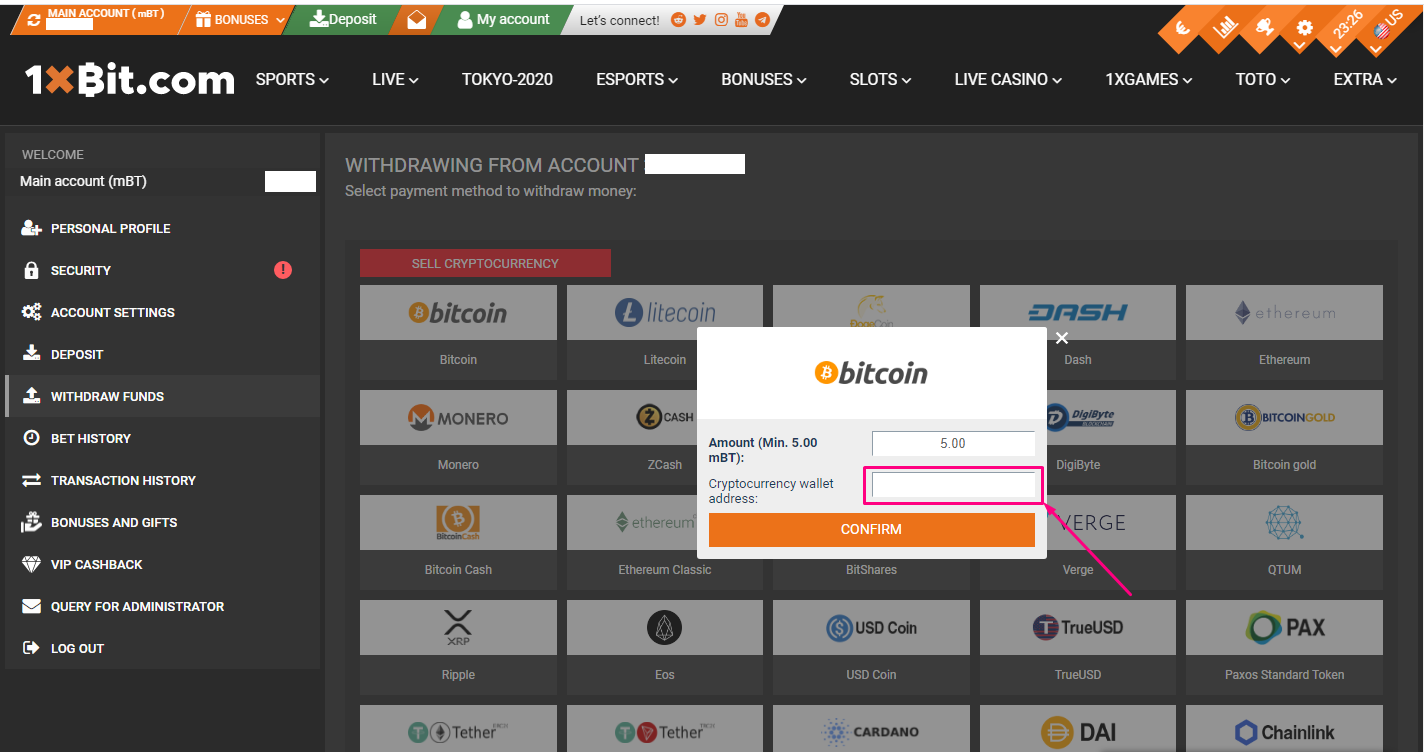
6. Warning: If you input the wrong information or select the wrong network when transferring funds, your will permanently lose your assets. Please make sure that the information is correct before you confirm the transaction. Click [Confirm]
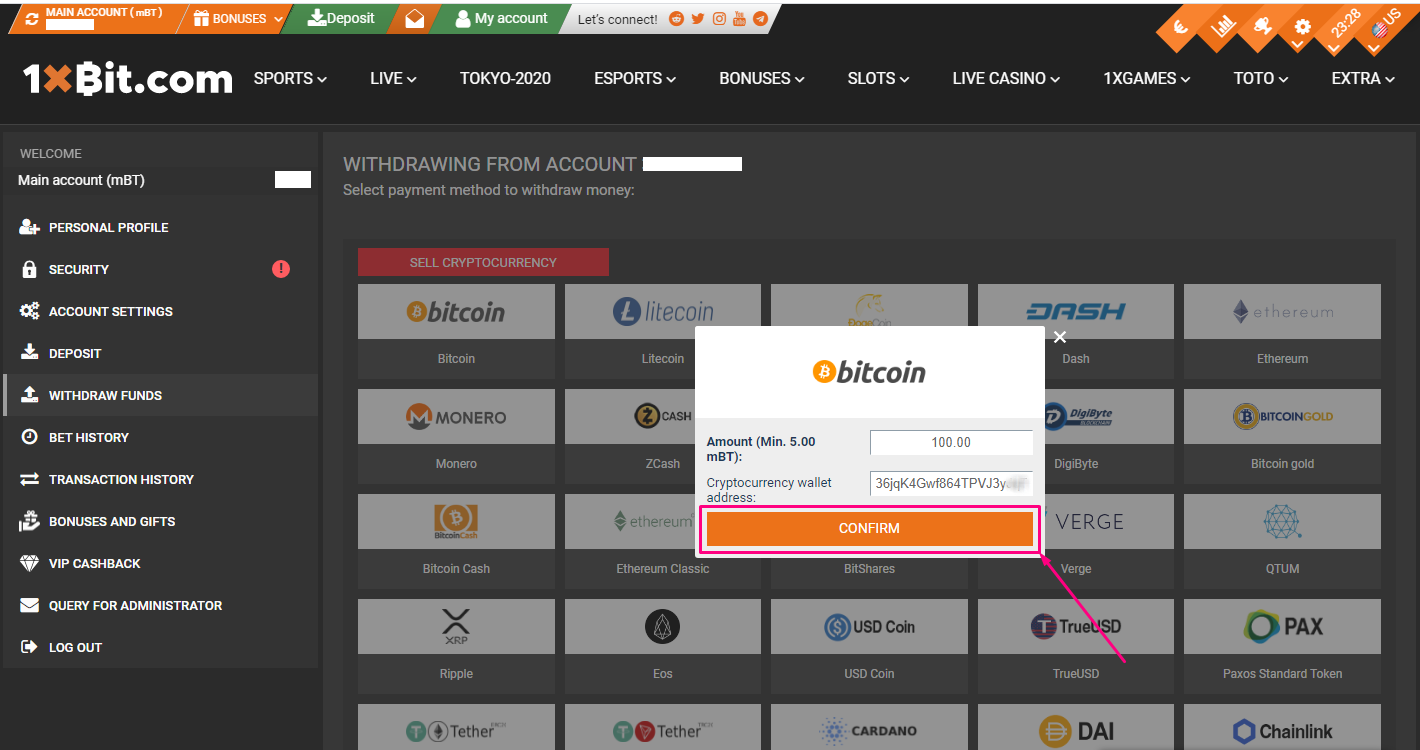
7. After confirming the withdrawal request, please wait patiently for the transfer to be processed.
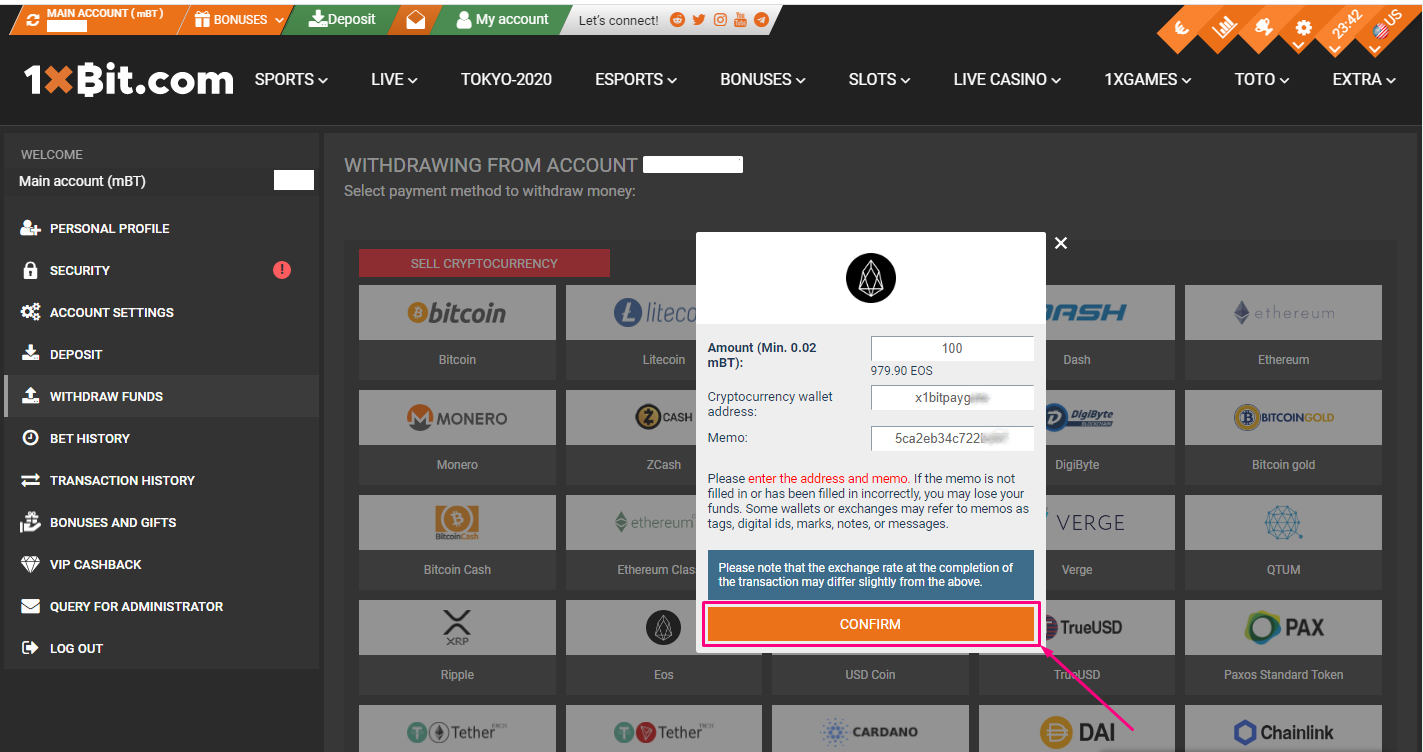
4.1. There are slight differences to the withdrawal processes for some cryptocurrencies, such as Eos, and there are some additional steps in the withdrawal process for them.

5.1. Enter the withdrawal amount and either enter the recipient address or select it from your address book. Please make sure that you choose the native network of the cryptocurrency on the platform you are withdrawing funds to. If you select the wrong network, you will lose your funds. 1xBit uses native cryptocurrencies networks for transactions.
Don’t forget to enter the Memo (or Message/Tag for other cryptos) from the platform/cryptowallet you withdraw to.
Please make sure that the withdrawal amount that you entered exceeds the minimum withdrawal amount.
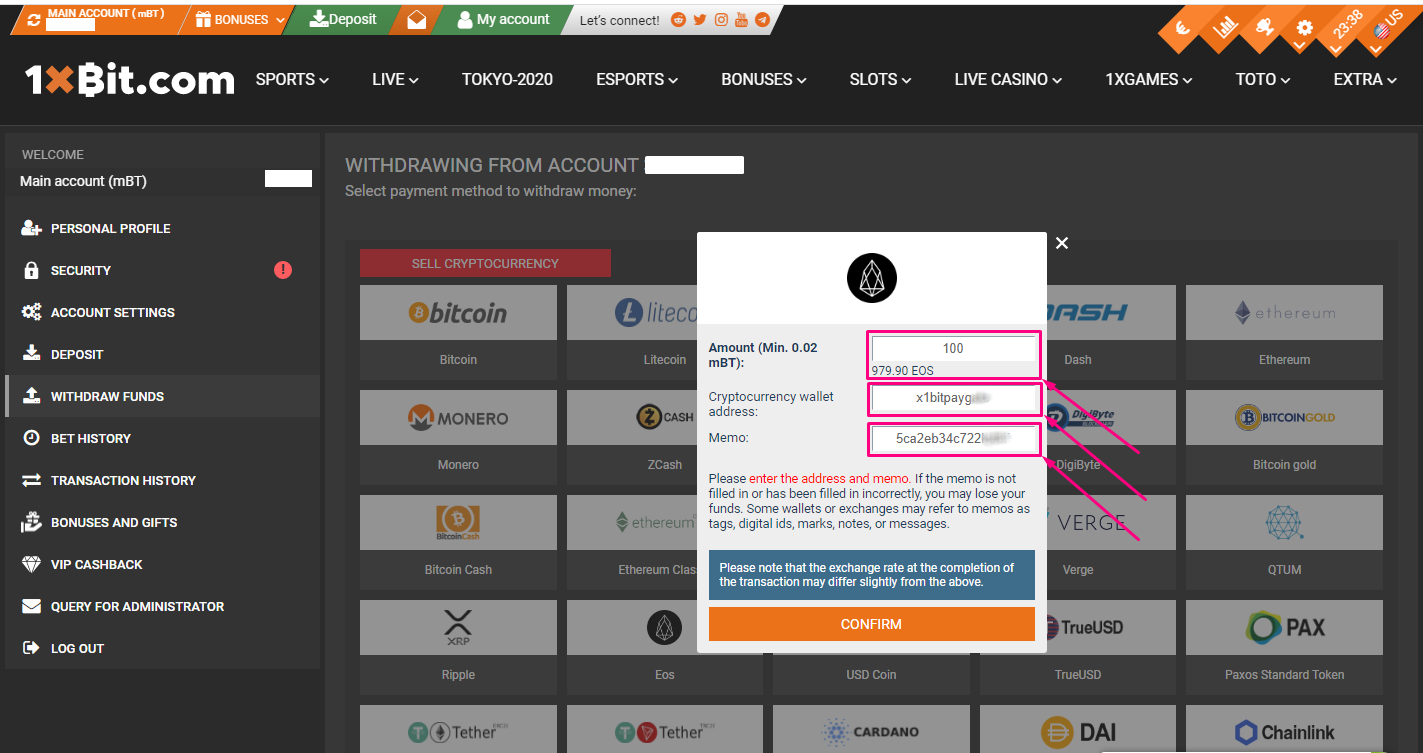
6.1. Warning: If you input the wrong information or select the wrong network when making a transfer, your assets will be permanently lost. Please make sure that the information is correct before you confirm the transaction. Click [Confirm]
7.1. After confirming the withdrawal request, please wait patiently for the transaction to be processed.