


How to buy and sell cryptocurrency with MetaMask
MetaMask is one of the most popular Ethereum wallets available, as well as one of the most convenient options for converting fiat money into cryptocurrency and vice-versa.
At 1xBit, you can buy and sell more than 15 tokens using this wallet.
Table of Contents:
1. Which cryptocurrencies can I buy and withdraw with MetaMask?
2. Registration
3. Login
4. Buying cryptocurrency
5. Withdrawing cryptocurrency
Which cryptocurrencies can I buy and withdraw with MetaMask?
Below is a full list of cryptocurrencies that you can both deposit and withdraw:
- Ethereum (ETH)
- USD Coin (USDC on ERC-20)
- TrueUSD (TUSD)
- Tether on Ethereum (USDT on ERC-20)
- Tether on Binance Smart Chain (USDT on BEP-20)
- Dai (DAI)
- ChainLink (LINK)
- Basic Attention Token (BAT)
- Binance Coin (BNB)
- Binance USD (BUSD)
- Paris Saint-Germain (PSG)
- Juventus (JUV)
- AS Roma (ASR)
- SHIBA INU on Ethereum (SHIB on ERC-20)
- SHIBA INU on Binance Smart Chain (SHIB on BEP-20)
- Polygon (MATIC)
Registration
To register, firstly, you need to install the MetaMask app as an extension. It is available in browsers such as Chrome, Brave, Opera, Edge, and Firefox.
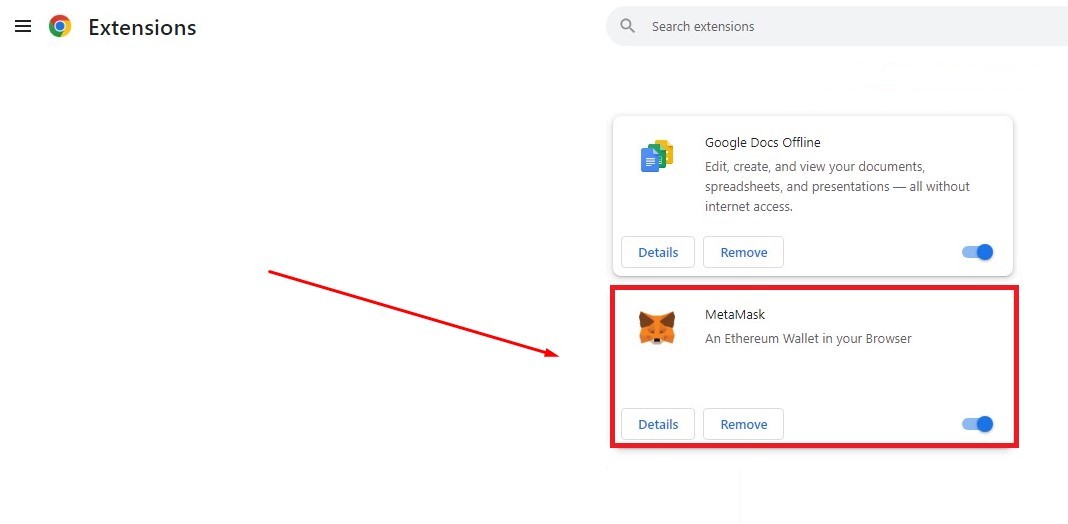
You then need to come up with a password and a secret phrase, which you can use to restore access to your wallet at any time.
If you already have an account, you can move on to the next step.
Login
In the pop-up window that opens when you make a deposit, you will be given the option to enable MetaMask:
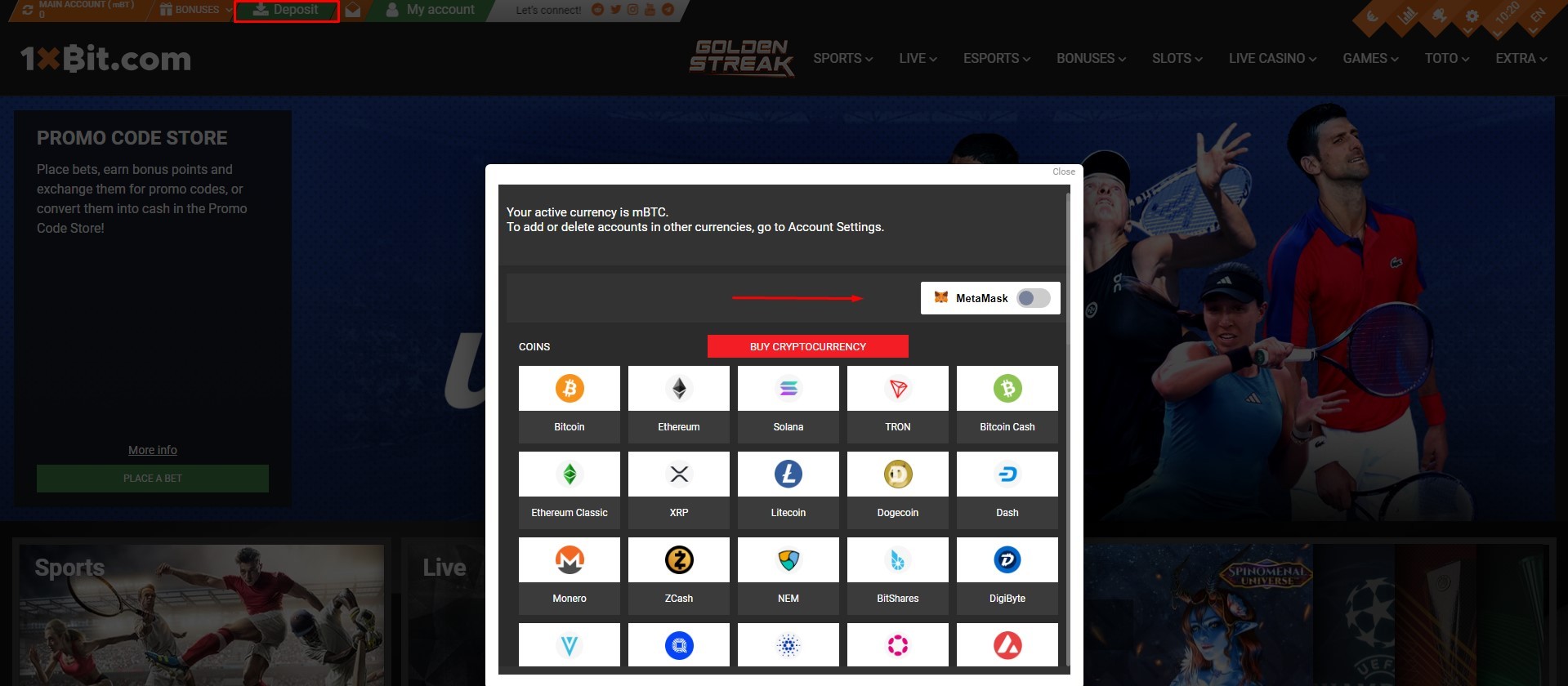
Once you enable it, a pop-up window will appear, where you can log in to your wallet:
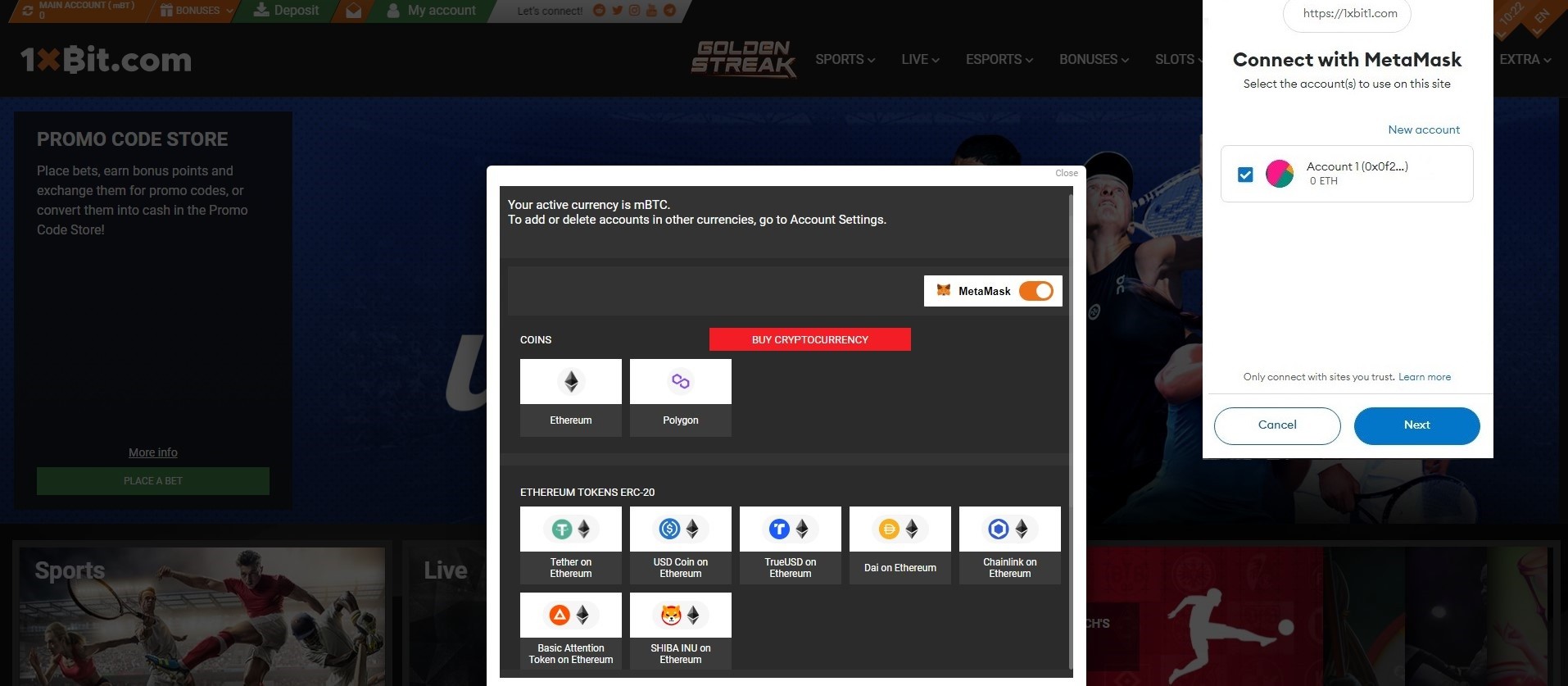
Here, you need to select an active account and press “Next”. This will link your wallet to your 1xBit account to make things simpler.
You can now access everything Metamask has to offer: buying, selling, exchanging and cross-chain bridges (these can be used to transfer your tokens from one EVM to another).
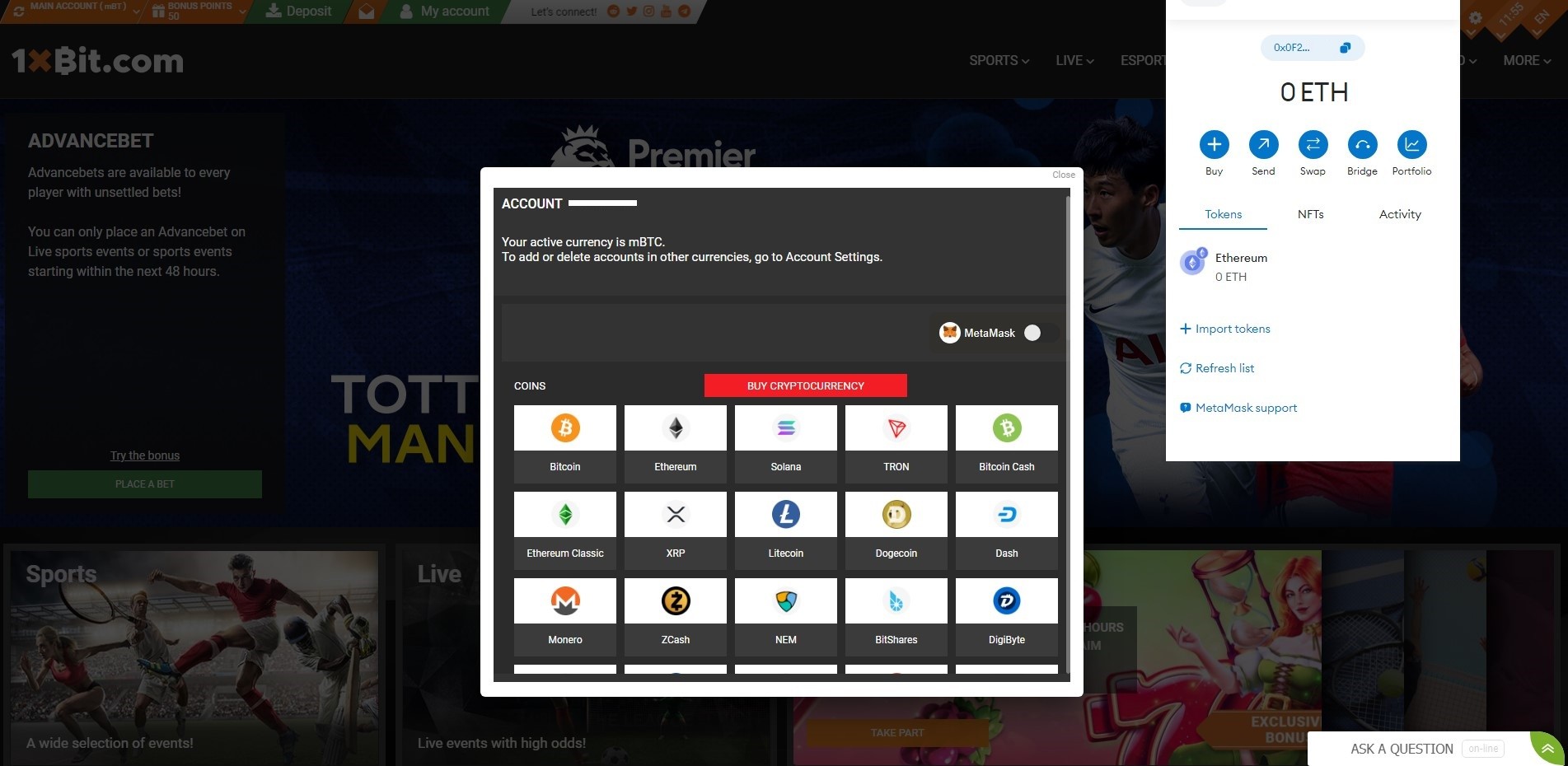
In this guide, we’ll be looking at the first two options in more detail.
Buying cryptocurrency
Step 1. Select a cryptocurrency
Choose the cryptocurrency you want to purchase from the list above of those available.
Step 2. Enter your information
You need to specify your country, payment method, the amount of cryptocurrency you want to purchase, your full name, your email address, and the details of the card you want to use to buy the cryptocurrency.
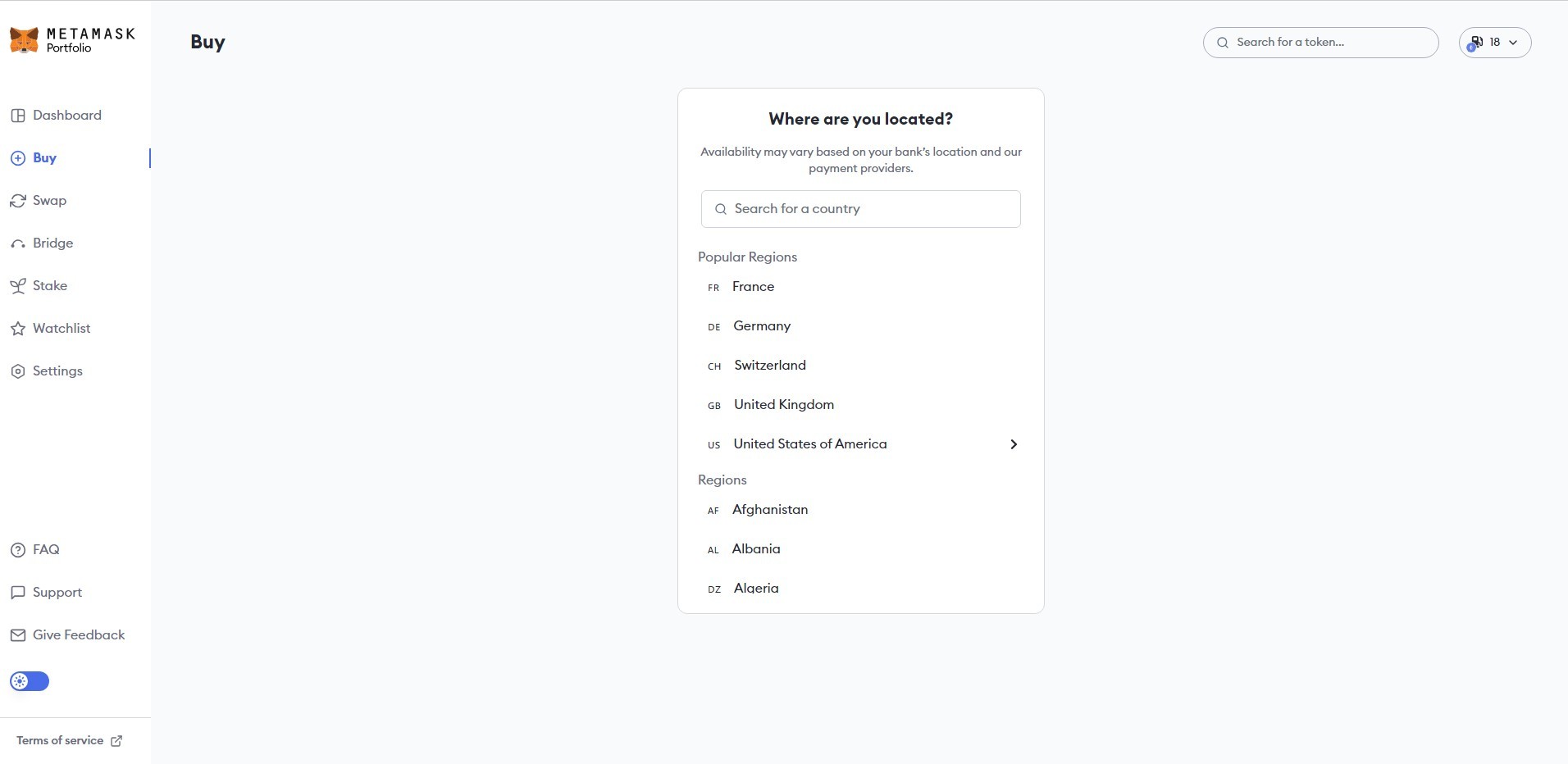
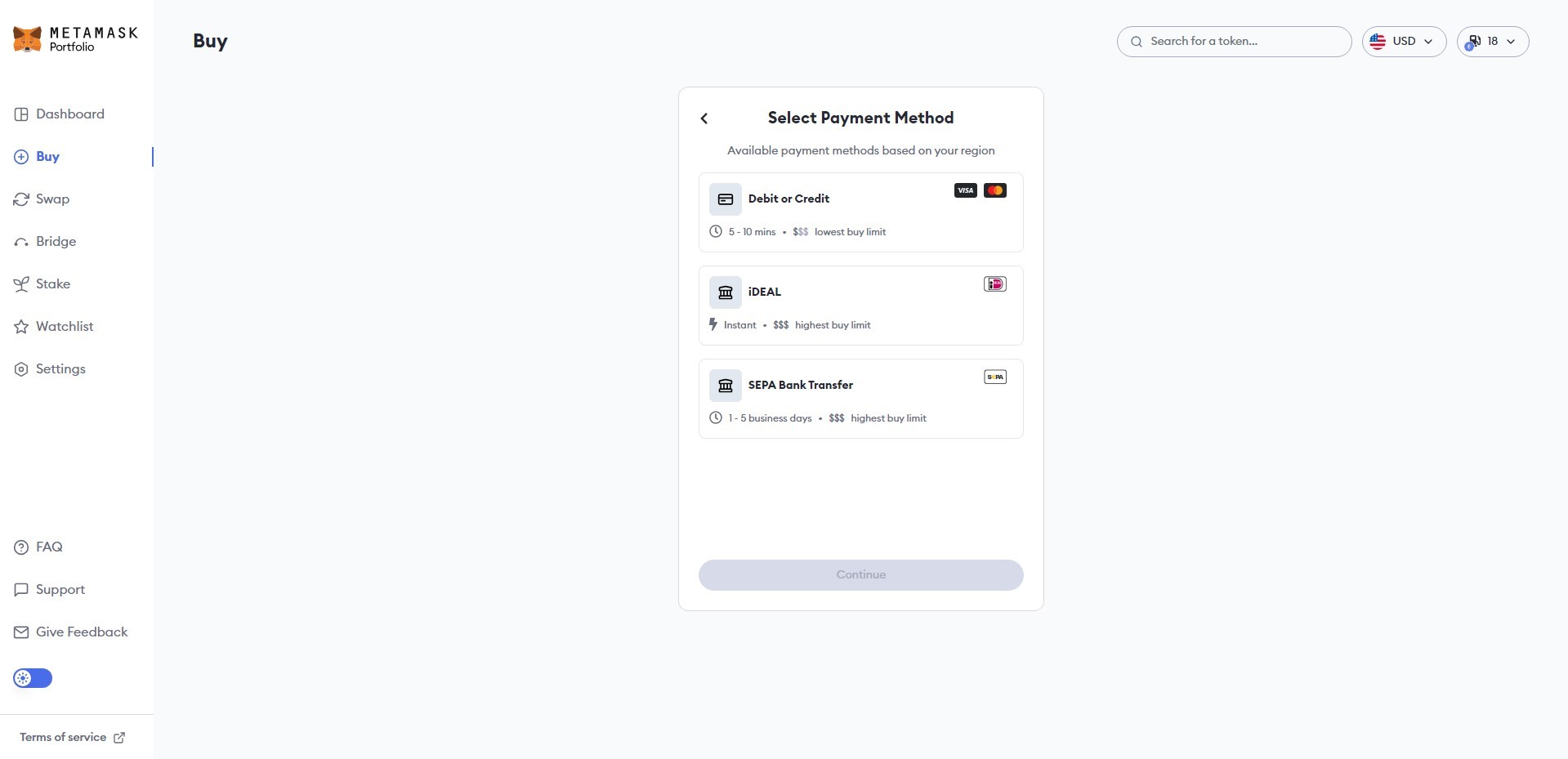
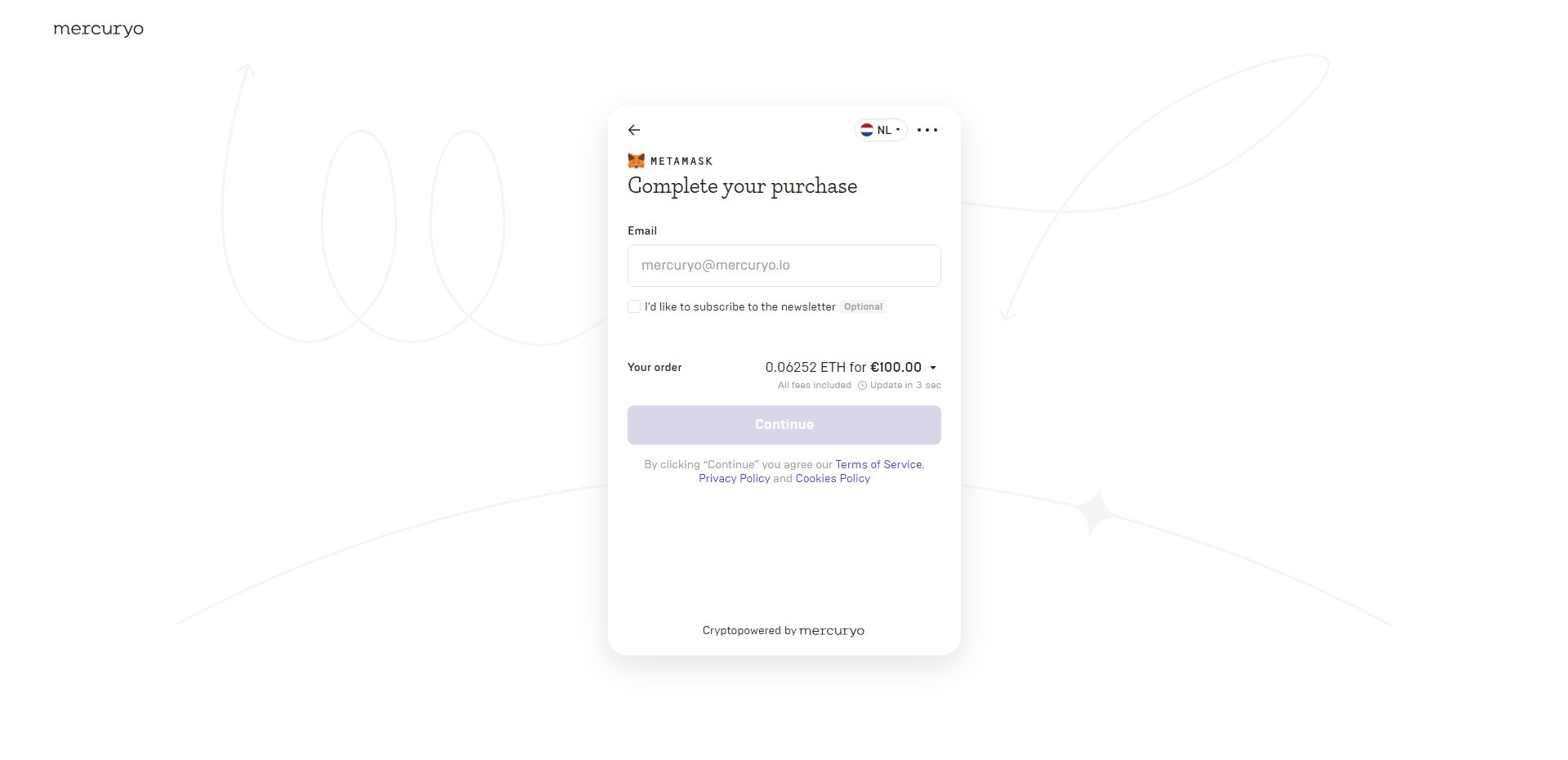
Please note that the platform allows you to compare prices and buy crypto from trusted third-party providers – Mercurio, Moonpay and Transak.

A code will be sent to you via email which you can use to confirm the transaction.
Withdrawing cryptocurrency
Step 1. Log in to your account and select a currency
In your account, you will see the “Withdraw Funds” option. Just like with deposits, you will need to enable MetaMask.
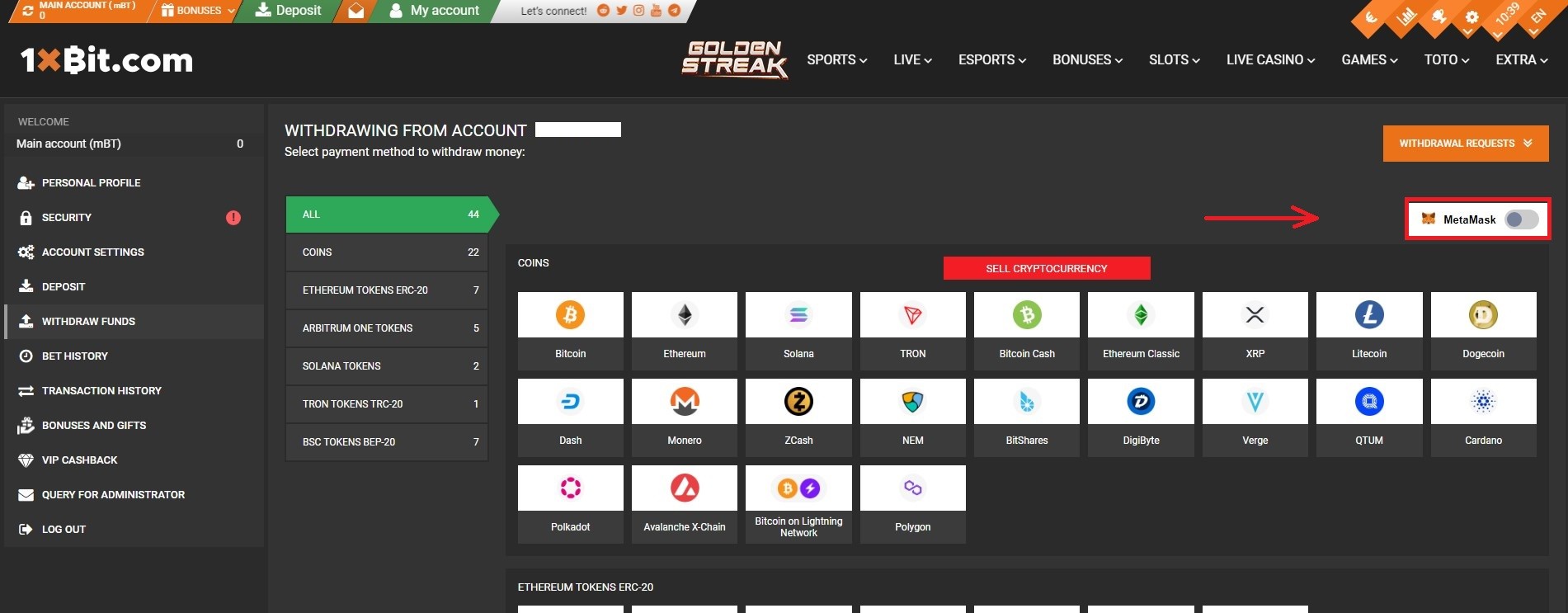
Once you’ve done this, a list of available currencies will then be displayed on the screen:
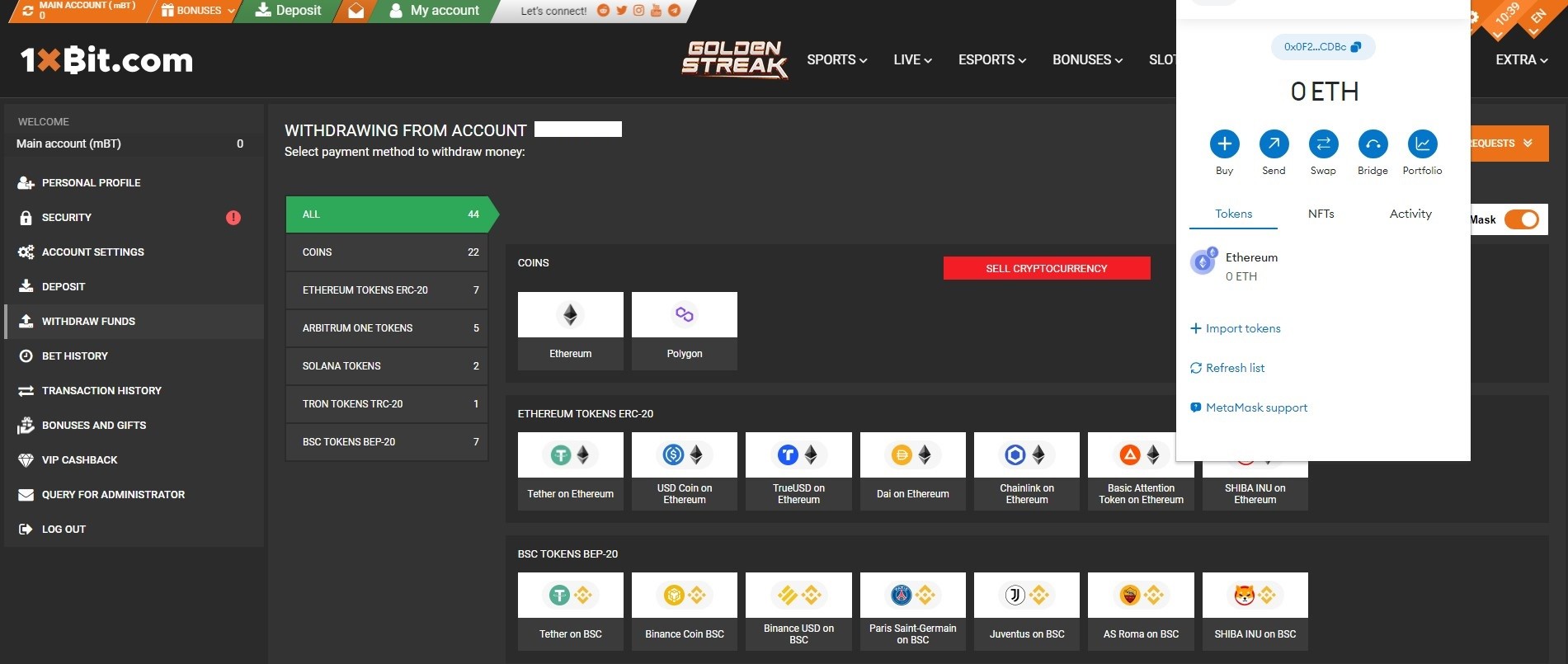
Step 2. Select the cryptocurrency you want to withdraw
The withdrawal window will then open showing the Metamask wallet you logged in to earlier. Here, you need to enter the amount you want and the address of the wallet you want to withdraw the funds to. Then, press “Next”.
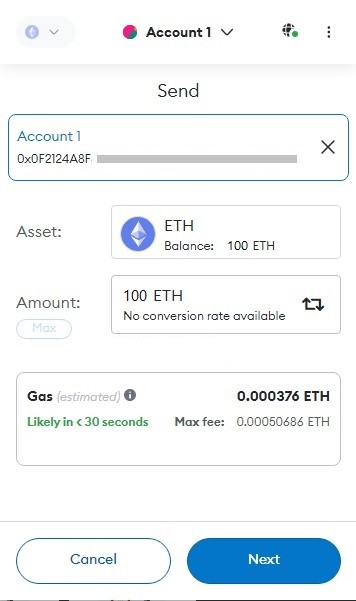
Shortly after this, the funds will be credited to your specified wallet.