


How to set up cryptocurrency wallet on Blockchain.com
Blockchain.com (former Blockchain.info) is a serious company that is trusted in the Bitcoin community, and which provides a reliable wallet for storing cryptocurrencies. Sending and requesting Bitcoin through the Blockchain.com wallet is also very easy. It has a very secure, user-friendly interface in both in browser and mobile versions, a good reputation, is suitable for beginners, and it is free.
Content:
1. How to Create Your Wallet?
2. How to send and receive Bitcoins?
3. How to Buy and Sell Bitcoins?
4. Our conclusion
How to create your wallet?
In order to take part in Bitcoin transactions, you need to create an account. To sign up you follow these simple steps:
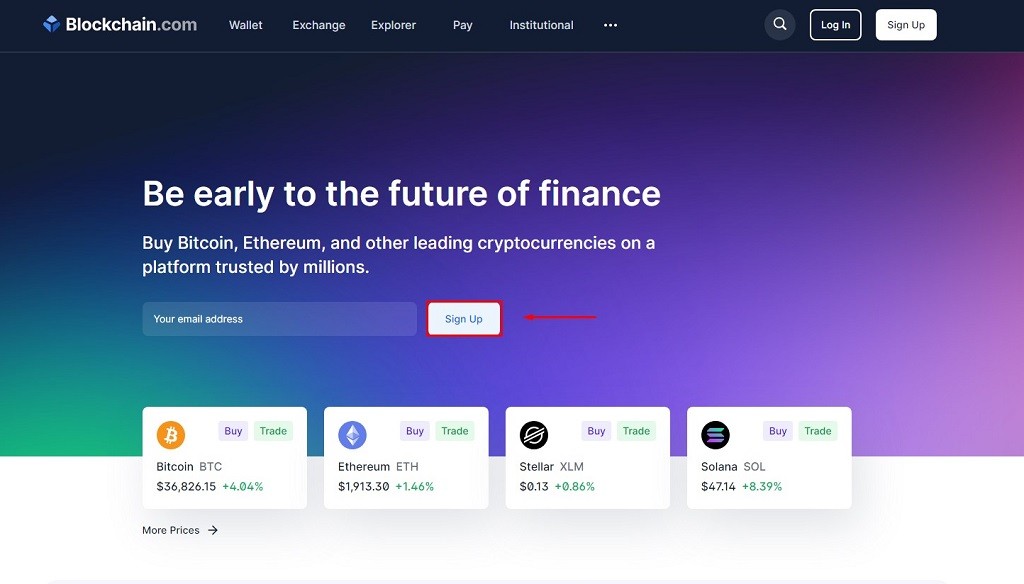
Step 1: Go to Blockchain.com and click on the “Get a Free Wallet” button.
Step 2: Enter a valid email address and your password. Please be sure to use an email that only you have access to and use a strong password.
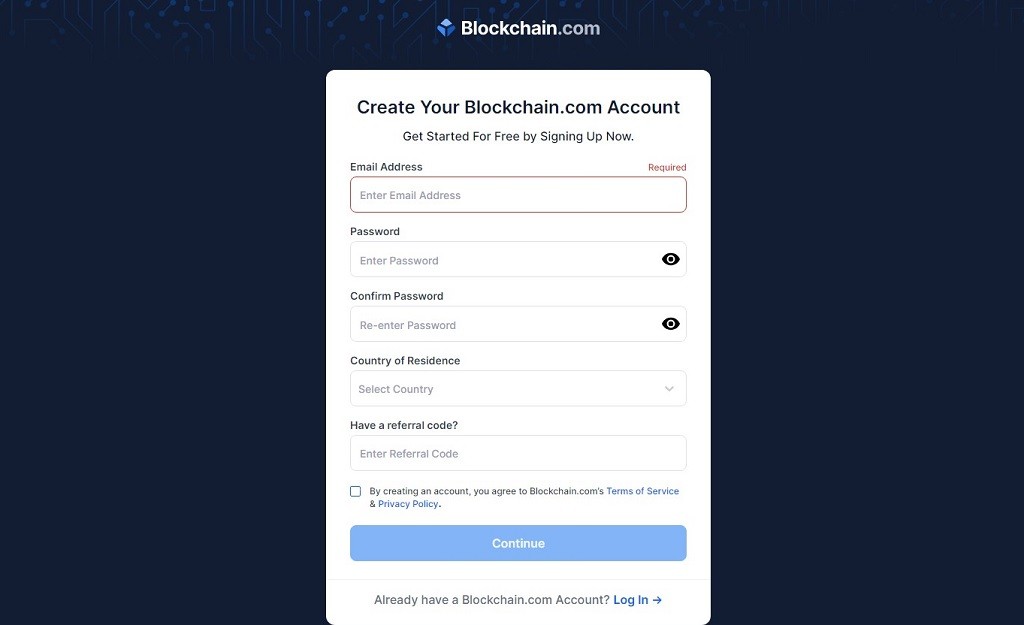
Step 3: Once you create your wallet you will be given a Wallet ID. You will need to keep this ID stored because it is the only way for you to access your wallet.

Step 4: Verify your email address. Once your email is verified, your wallet is ready to use.

How to send and receive Bitcoins?
When you access your wallet and get to the Dashboard, you will see two options: Send and Receive.
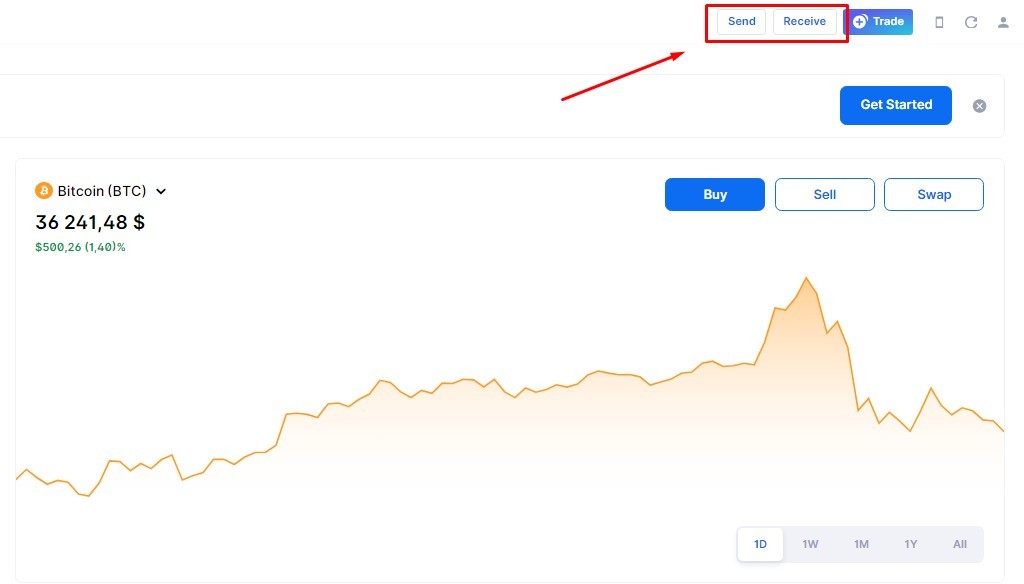
When you select the Send option, it will bring up a popup menu where you will need to enter the correct information. At the top of the menu, you can choose which currency to send. Below this, you will need to enter the Address which you want to send funds to as well as the amount.
To receive funds, you are able to either generate a payment request or you can simply copy your address and share it with others. Please note that this address changes for every payment.
How to Buy and Sell Bitcoins?
You can buy & sell bitcoin directly from your wallet and have the exchanged funds deposited into your bank account. It is one of the easiest ways to buy cryptocurrency today. Unfortunately, the buy & sell option is only available for European residents at the moment.
To buy bitcoins at blockchain.com follow the following steps:
Step 1. Sign in into your account and click on the Buy/Sell option.
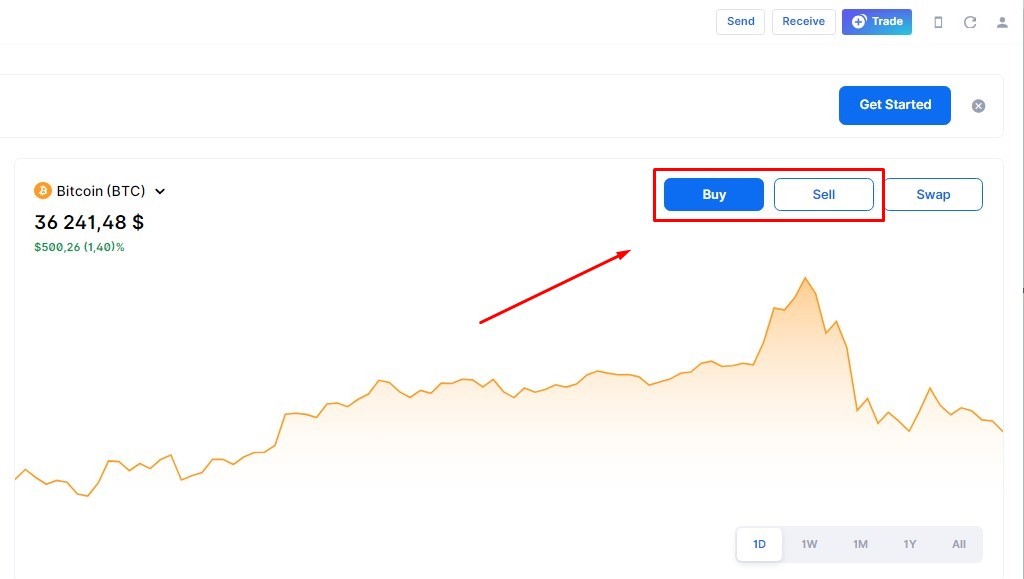
Step 2. State the amount and choose your preferred currency. The amount of bitcoins worth this sum will be calculated automatically according to the current bitcoin price.
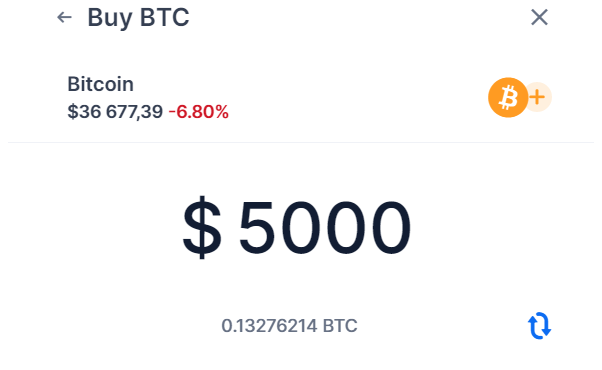
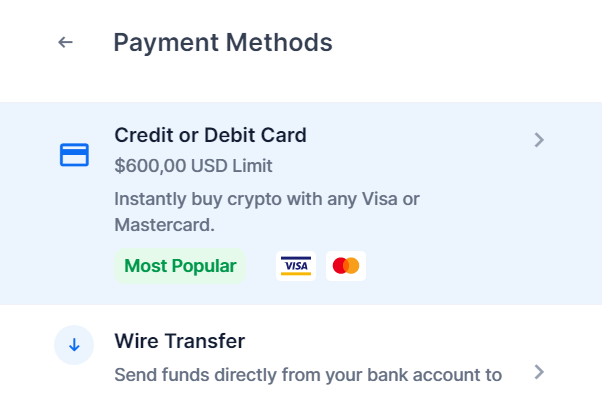
Step 3. Select preferred payment method: bank transfer or credit/debit card. Buying or selling crypto through credit or debit card is more convenient and doesn't require Identity verification for the transactions of less than 100 euro. You do, however, have to pay a 3% convenience fee. If you are going to spend more, you need to pay via Bank Transfer. In this case, you pay only a small trading fee of about 0,25%.
Step 4. To proceed to the next step, carefully review the order details, tick the box to accept the terms and then submit your order.
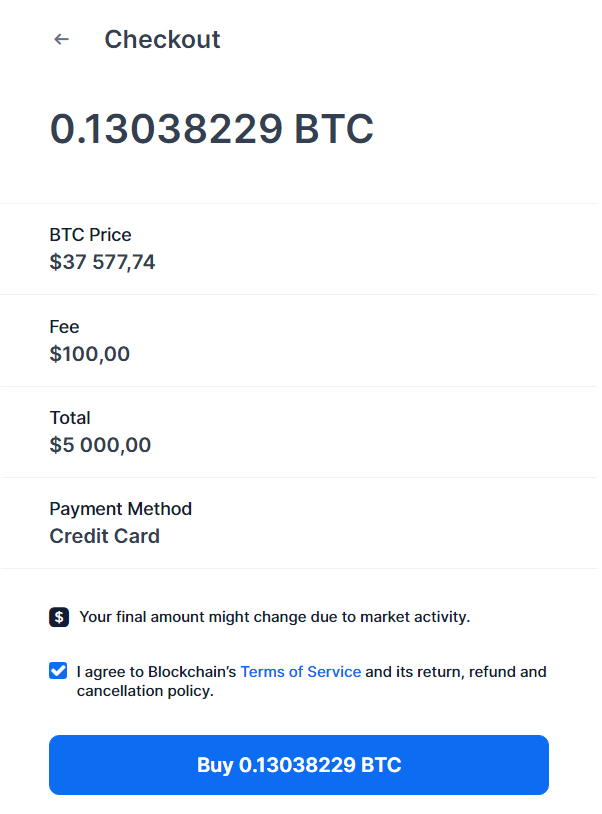
Step 5. To finish your order, you need to enter your payment details. Funds will be credited to your blockchain.com wallet as soon as the payment is processed.
Our conclusion
The only disadvantage of the Blockchain.com wallet is limited ability to exchange cryptocurrencies for traditional currencies. However, it is a perfect wallet to store, send and request cryptocurrencies for everyone.