


Guide: How to find transaction history?
1. Log into your 1xBit account. Click [My account] and choose [Personal profile].

2. Choose [Transaction history] in the menu.
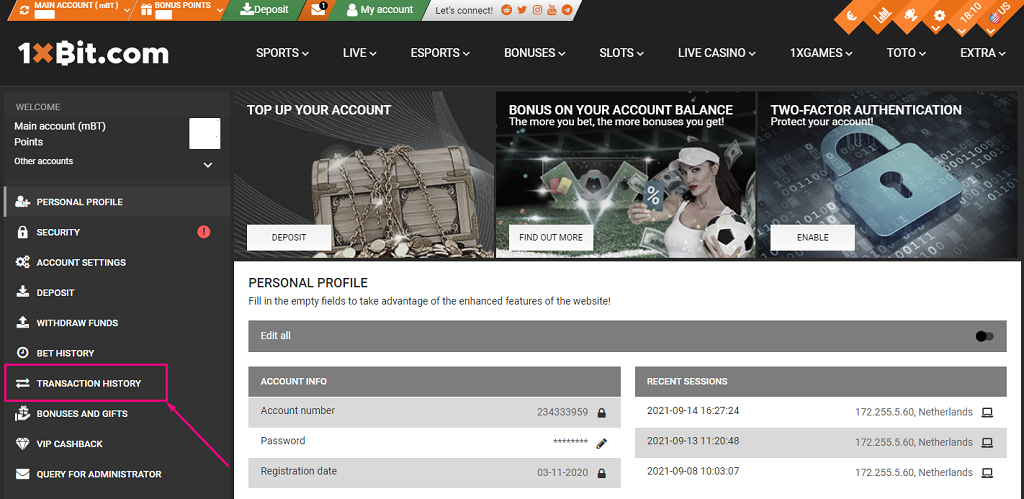
3. Look at the latest transaction history and click [Show earlier] if it’s needed.
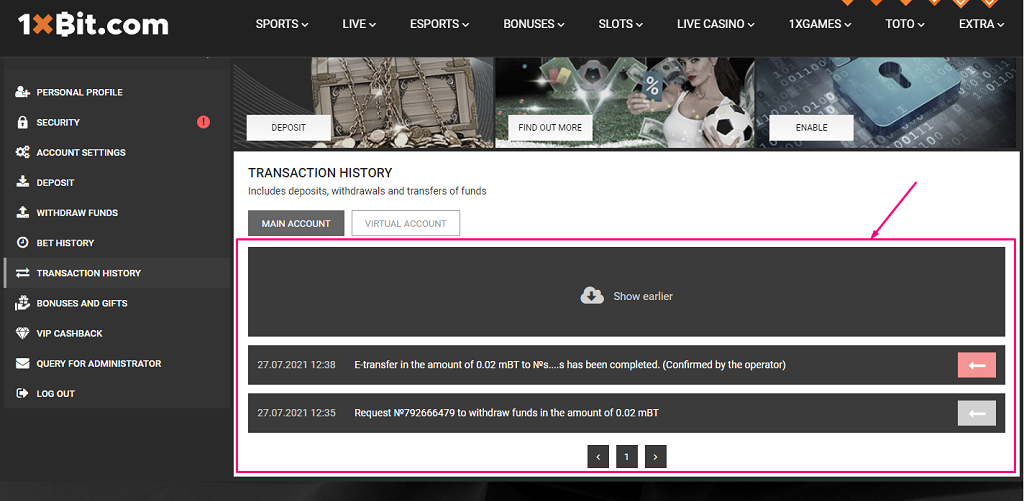
4. Click the button to check a transaction in the blockchair.com explorer.
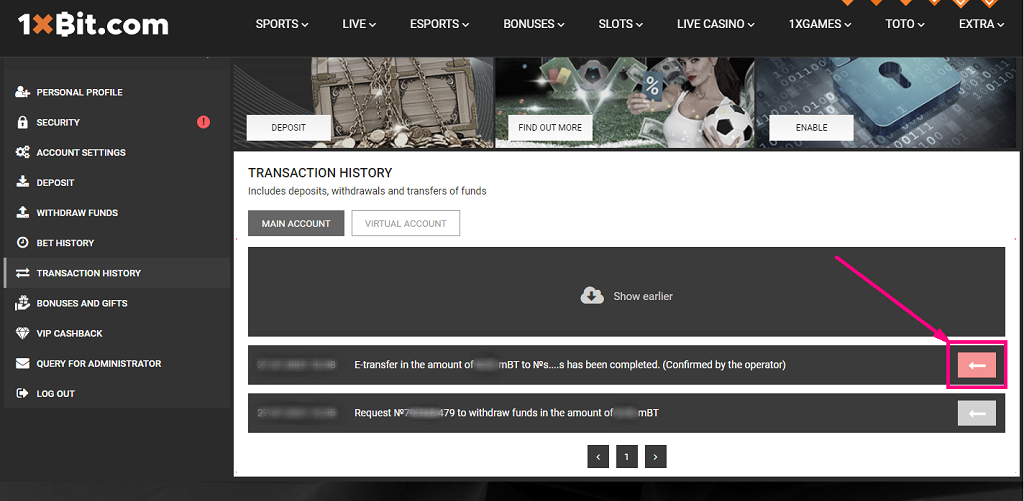
5. You’ll be redirected to the explorer with that header and detailed information of the transaction (hash, addresses, confirmation status) below.

- Viewing transactions in the blockchair.com explorer is available for transfers in currencies: BTC, BCH, ETH, LTC, DOGE, DASH, ZEC. The list of currencies will be updated.
- For transactions made before 09/15/2021, viewing in the explorer is not available.
- An entry in the Transaction History appears after the 1st confirmation